
Add an Anchor to a page
1. Use page builder to open a page in edit mode.
2. Choose a row, column or module and open the settings.
3. On the advanced tab, add the anchor text to the id field. Please note that it must be letters, numbers, underscores or hyphens only.
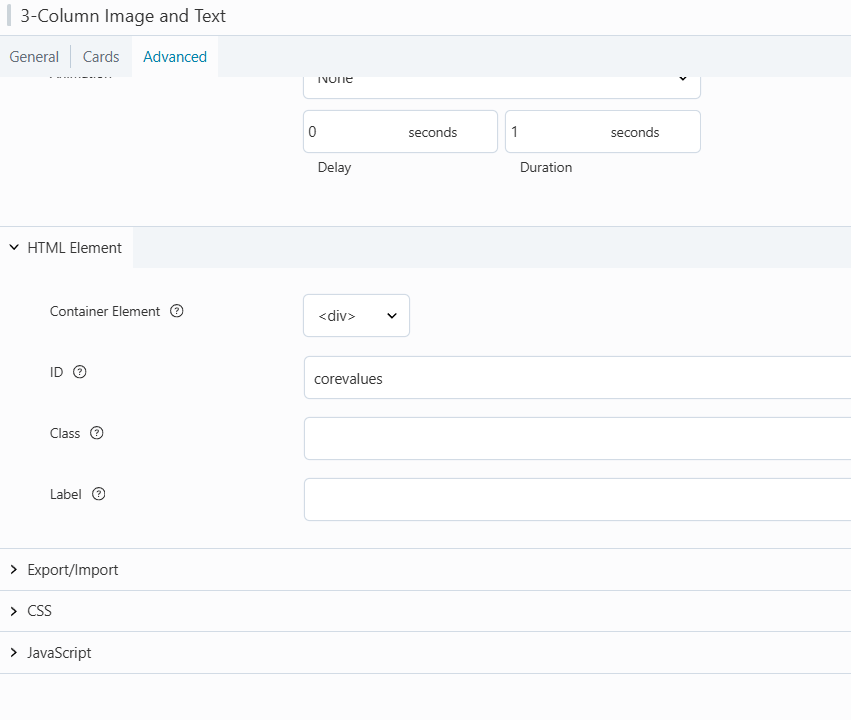
4. Save the row, column or module being edited.
5. Publish the page.
Test the Anchor and Add the Anchor
1. Add the anchor text to the end of the page URL with a hash sign before it.
Eg: https://www.applyflow.com/about-us/#corevalues
2. Add the URL to a button or link.
Please note that you can add multiple anchors to a page, each anchor must be unique.